Skip to content
Podologists

Booking software for podologists and podology practices

Domovleno is Ukrainian booking software for podologists and podology practices: a first visit and a short adjustment each get their own time in the calendar, you book the next visit of a course while the client is still with you, and reminders 24 and 2 hours before go out without you — email, plus SMS on Pro. Free forever plan, set up in an evening.

Booking confirmed · 14:30
Reminder sent
Paid online · ₴1250
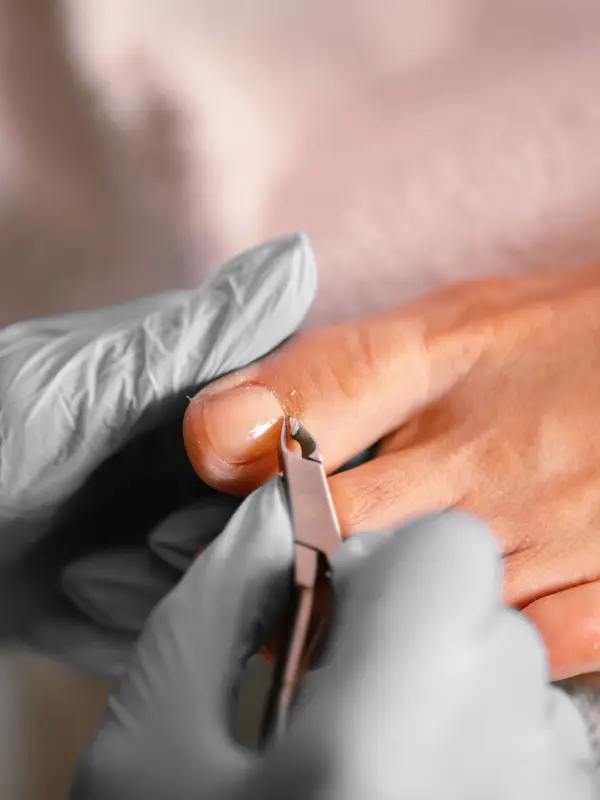
A podologist in gloves treats a toenail with nippers
$0/mothe Free plan — forever
24/7online booking works while you're with a client
24 h + 2 hreminders before each visit: email, plus SMS on Pro
1.5%a fee on online payments only
The product

Here's what booking a podologist looks like

The client — or their daughter or son — opens the booking page from a link and sees visits with duration and price. The same booking appears in your calendar without a single phone call. Here are both sides.

The booking page — what your client sees
The calendar — what you see
In short

Is Domovleno right for a podologist?

Yes, if clients come to you by appointment — in your own room, a rented one, or a podology practice with several specialists. The client or their relatives pick a visit and a time, get reminders and reschedule themselves, and you book the next adjustments of a course during the visit. The Free plan covers booking with no limit; Pro adds SMS reminders and separate logins for colleagues.

A good fit if

  • A podologist or medical pedicure specialist working alone — in your own room or a rented one — who keeps bookings in a notebook or a messenger.
  • A podology practice with several specialists: each has their own schedule and services, and two bookings with the same specialist at the same time can't happen.
  • You run courses of repeat visits and want the software, not you the evening before, to send reminders 24 and 2 hours ahead.
  • Your older clients find SMS easier to read: a name and a phone number are enough to book, and on Pro the confirmation and reminders arrive by SMS.

Worth knowing first

  • Keep medical records, procedure notes and consent forms in your medical system or on paper. Domovleno is booking and reminders alongside them, not a medical information system.
  • Photos of a nail's progress can't be added to a client card — store them separately. Keep short internal notes about visits in the card.
  • A client without email gets the confirmation and reminders only by SMS, and SMS is Pro-only: on the free plan, older clients without email go without reminders.
  • A course can't be booked as a series, and online clients only see free slots 31 days ahead. Book each next adjustment in the calendar as a separate appointment right after the visit.
Sound familiar?

Where a podology practice loses time

01
A course runs for months, but the next adjustment isn't written down anywhere
A brace or titanium wire is adjusted every month, and the course stretches over months. If the next visit isn't booked during the appointment, the client gets lost between adjustments and the course loses its rhythm.
02
Not every client has an email address
Many of a podologist's clients are older. Some don't use email, some don't want to book online, and a visit agreed a month ago is the easiest thing to forget.
03
An adjustment takes 30 minutes, a first visit an hour and a half
Visits vary a lot in length, and during a procedure you can't reach the phone. You book new clients only between appointments and estimate each one's time on the fly.
One day

A working day in a podology practice

Not a feature list — an ordinary day of appointments, from the first client at nine to the evening wrap-up.

9:00
Visits of different length, visible in the morning
You open the calendar: a 90-minute first visit at 9:00, then a brace adjustment and an ingrown toenail. The sterilisation buffer between them is already accounted for.
11:20
A daughter booked her mother while you were with a client
An elderly client's daughter opened the booking page link and picked a free time. The booking is already in the calendar, and the confirmation and reminders will go to the daughter's contact.
13:00
Reminders went out without you
Tomorrow's clients got their reminders — some by email, some by SMS on Pro. One can't make it and moved the booking from the link, so the slot is free again.
16:40
The next adjustment, before the visit ends
At the end of a wire adjustment you agree on the next date and add it to the calendar as a separate booking. The client gets the confirmation before leaving the room.
19:30
Evening — the day in numbers
How many visits took place, the revenue and any no-shows are in analytics. And the calendar a month ahead shows which course adjustments are already booked.
A sample day

A podologist's day: from a first visit to a correction system adjustment

This is how a day fits into the schedule when every visit has its own duration: a 90-minute first visit at 9:00, ingrown toenail care at noon, then fitting and adjusting correction systems in the afternoon.

TimeServiceDurationTypical price
9:00First visit: consultation + podological pedicure90 min₴1250
10:30Medical pedicure60 min₴1400–2600
12:00Ingrown toenail care (1 nail)40 min₴800–900
14:00Fitting a nail correction system: brace or titanium wire40 min₴1500
15:30Brace or wire adjustment (follow-up visit)30 min₴600–800
17:00Machine nail treatment, 1–2 nails30 min₴900–1300

Durations and prices are illustrative — typical for the niche, not a statistic or a price list. Your own menu will differ; the table only shows how a day lands in the schedule.

What Domovleno does

Booking software for podologists: its own time for every visit, and the course of adjustments in your calendar

Reminders without a morning round of messages

Right after booking the client gets a confirmation, and a day and two hours before the visit, a reminder with a link to reschedule or cancel. Email works on any plan; Pro adds SMS — for clients without email, who need only a name and a phone number to book.

Online payment for the first visit

The first visit takes an hour and a half, so that's where you can turn on payment at booking. The client pays the full price of the service through Ukrainian payment providers, straight to your account, and your acquirer (mono or LiqPay) can issue the fiscal receipt from your own PRRO if you turn fiscalisation on.

The money goes straight to your account via Ukrainian payment providers — Domovleno never holds it. Your acquirer (mono or LiqPay) can issue the fiscal receipt once fiscalization is set up.

Every visit with its own duration

A 90-minute first visit, 40 minutes for an ingrown toenail, 30 for a brace adjustment — every service has its own time, and a buffer before or after leaves minutes to sterilise instruments. Online, a client only sees slots the whole visit fits into, buffer included.

Clients and their relatives book themselves

Send the booking page link in a messenger or put it on your website. A daughter can book her elderly mother — confirmations and reminders then go to the daughter's contact. Bookings taken by phone go into the same calendar, and two bookings with one specialist at the same hour can't happen.

Client card and analytics

All of a client's visits and an internal text note — say, which correction system was fitted and when — in one card. Analytics shows visits, revenue and no-shows for the period you pick — on any plan.

Side by side

Notebook, messenger or booking software: what a podologist should compare

Notebook and phone
Booking a new client
A call you answer between appointments
Reminders before a visit
Calling clients the evening before
Online payment at booking
No — payment on site only
A client's visit history
Adjustment dates scattered across notebook pages
Moving a visit
Crossing out and hunting for a new slot by hand
Price
₴50 for a notebook
The next visit in a course
A date in the notebook; the client writes it on a scrap of paper
A client without email
A call the day before, if you get to it
Visits of different length
You estimate the time by eye
Messenger
Booking a new client
Messages about free times while your hands are busy
Reminders before a visit
Messaging everyone by hand in the morning
Online payment at booking
A card transfer you reconcile by hand
A client's visit history
Scrolling the chat to find the last visit
Moving a visit
Several messages to agree on another day
Price
Free, but every arrangement is handled by hand
The next visit in a course
An arrangement in a chat that's easy to lose
A client without email
Reminders only for clients who use the messenger
Visits of different length
The client asks in the chat how long the visit takes
Domovleno
Booking a new client
The client books from a link, 24/7, with no app or account
Reminders before a visit
Automatic, 24 and 2 hours before: email; SMS on Pro; Telegram and Viber when the client subscribes
Online payment at booking
Yes, Ukrainian providers + fiscal receipt via mono or LiqPay (setup required)
A client's visit history
A card with every visit and a text note; photos can't be added
Moving a visit
The client picks a new free time from the link — the calendar updates
Price
Free forever plan; Pro has one price for the whole business, no charge per specialist
The next visit in a course
A separate booking in the calendar right after the visit, with reminders 24 and 2 hours before
A client without email
Booking by phone number on any plan; on Pro, SMS confirmations and reminders
Visits of different length
Every service has its own duration and buffer — free slots are worked out for you
From practice

Questions from podologists and medical pedicure specialists

Do you take prepayment at booking, and what do you do when a client confirmed the visit the day before but didn't show up?

You can take online payment at booking, but only the full price of the service — there's no partial prepayment or deposit in Domovleno. It's switched on per service, for example for the 90-minute first visit. Domovleno doesn't keep clients' cards on file and has no automatic no-show fee: if a client misses a paid visit, the decision is yours, and you can refund the payment with a button in the admin. Write your rules for this case in the service description — the client reads them on the booking page before paying.

How do you handle clients running late, and how many minutes do you build into the schedule for it?

In Domovleno, slack for late arrivals is a buffer: you can add minutes before or after each service, and the calendar keeps them free together with the visit. Nobody can book that time online, and when the client is on time, those minutes go to sterilising instruments and preparing the room. The buffer is set per service — after ingrown toenail care it can be longer than after a short adjustment.

How do you deal with last-minute cancellations? I sent reminders to all of the day's clients in the morning and got back «I'm not coming» and «I forgot I'm on sick leave». How do I get people to let me know in advance?

Let the software handle the morning round: Domovleno sends reminders 24 and 2 hours before on its own, each with a link to reschedule or cancel. The day-ahead reminder gives the client time to warn you early, and the freed slot shows up on the booking page again. The product doesn't enforce rules like «cancel at least a day ahead» — write your own arrangement in the service description, and the client sees it while booking.

How do you keep track of clients who come back for repeat nail cleanings? We take a «before» photo, the client returns six months later and we take a new one to see the progress. Where do you store those photos?

Photos can't be added to a client card in Domovleno, so keep progress photos separately — in your own medical system, the cloud or on your phone. The card holds every visit and an internal text note of up to 5,000 characters: a good place to write down when a photo was taken and where it's stored. A follow-up six months out can't be booked online — clients only see free slots 31 days ahead — so add that date to the calendar yourself.

How do you keep your bookings now: a notebook, a spreadsheet, an app, or everything in direct messages? What annoys you most?

With Domovleno, bookings live in one calendar: online bookings from clients and the ones you add after a call land in the same place, so the notebook and the chats no longer disagree. Instead of replying during procedures and sending reminders by hand, there's the booking page link and automatic reminders 24 and 2 hours before. Moving your existing base is free: a CSV or Excel spreadsheet is read directly, photos of notebook pages are read by AI, and clients receive nothing while it happens.

Once or twice a week clients simply forget their appointment and don't let me know — is it the same for you? Any advice?

To keep clients from forgetting, Domovleno sends a confirmation right after booking and reminders 24 and 2 hours before — without you. Email works on any plan, and Pro adds SMS with your practice's name, the date and time, but no service name. No paper appointment card is needed either: the confirmation email has the service, specialist, price and address, and the client can reschedule or cancel from the link.

Honestly about scope: what Domovleno doesn't do

Domovleno is booking, reminders, a client base, online payment and analytics alongside your medical documentation, not instead of it. There are no medical records, procedure notes, informed consent forms or photos in client cards, and files can't be attached. There's no separate booking for a device or a room either — the schedule runs by specialist — and no route planning for home visits. We don't give advice on procedures: only booking and scheduling.

Pricing

Start free — forever

Free
$0
A booking page, website, calendar, client base and email confirmations — with no limit on visits.
ProFree for 7 days after signup
$19/mo billed yearly
Or $25 month-to-month. SMS reminders for clients without email, the AI assistant and separate logins for colleagues. Every new account gets Pro free for 7 days — no card needed.
Full plan comparison
Questions & answers

Common questions from podologists

With the Free plan: the booking page, calendar, client base and email confirmations work with no limit on bookings. Set up services with their real duration — first visit, nail treatment, correction system adjustment — and give clients the link; add bookings taken by phone to the same calendar.

Your clients' courses in a calendar, not a notebook

Free forever plan. We migrate your base for free. Live in about an hour.